 Ultimate guide
Modern Car Diagnostic Tools Explained
Table of Contents
- What Are Modern Car Diagnostic Tools and How They Work
- OBD2 Scanner Basics: Reading and Clearing Codes
- Basic Code Reader vs. Advanced Scan Tool: Key Differences
- How to Read OBD2 Codes: A Step-by-Step Workflow
- Bidirectional Scan Tools: Active Testing and Verification
- DIY Diagnosis Versus Professional Diagnostics
- Diagnostic Protocols, Access Limits, and Vehicle Compatibility
- Frequently Asked Questions
Last Updated: October 11, 2026
What Are Modern Car Diagnostic Tools and How They Work
Modern car diagnostic tools connect to your vehicle's onboard computer to read, interpret, and clear diagnostic trouble codes. They range from simple code readers to advanced scan tools that access real-time sensor data and control vehicle functions.
Modern diagnostics rely on the OBD-II system, standard on all U.S. vehicles since 1996. This system monitors engine performance, emissions, and transmission health.
The Role of the OBD-II System
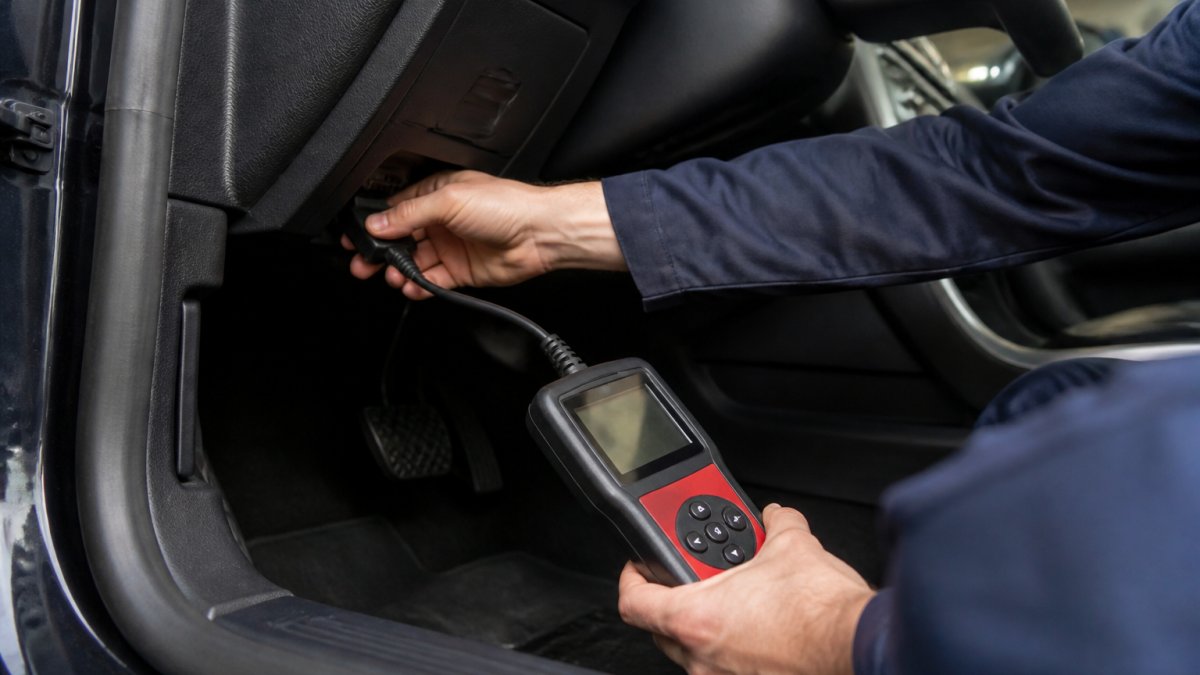
OBD-II is a standardized diagnostic protocol allowing access to fault codes and real-time data from control modules. Every U.S. vehicle has an OBD-II port, typically under the dashboard on the driver's side.
When sensors detect abnormal readings, the ECU compares them against expected parameters. If values fall outside acceptable ranges, the system logs a diagnostic trouble code.
Electronic Control Units and Vehicle Sensors
Your vehicle contains multiple electronic control units managing different systems. The engine control module (ECM) oversees fuel injection, ignition timing, and emissions. The transmission control module (TCM) manages gear selection and shift timing.
These modules receive constant input from dozens of sensors: oxygen sensors, mass airflow sensors, throttle position sensors, and coolant temperature sensors. Each sends voltage signals to its module, which processes data and makes real-time adjustments.
OBD2 Scanner Basics: Reading and Clearing Codes
An OBD2 scanner bridges your vehicle's computer and human understanding. When connected to the diagnostic port, it retrieves stored codes and translates them into human-readable descriptions, showing which system is affected and what triggered the fault.
Reading codes is straightforward: plug in the scanner, select your vehicle's year and make, and scan for active and stored codes. The scanner displays the code number (like P0401) and definition (like "EGR Flow Insufficient").
Diagnostic Trouble Codes and Fault Definitions
Diagnostic trouble codes follow a standardized format. P codes affect the powertrain, B codes relate to body systems, C codes cover chassis systems, and U codes indicate network communication problems.
Understanding code definitions requires context. A single code rarely tells the complete story. A P0128 code could mean the thermostat is stuck open, the temperature sensor is faulty, or the wiring is corroded.
Freeze-Frame Data and Real-Time Monitoring
Advanced OBD2 scanners capture freeze-frame data, recording exact conditions when a fault occurred. This snapshot includes engine speed, fuel trim, load, and coolant temperature at the moment the code was triggered.
Real-time monitoring displays live sensor readings as your vehicle operates. You can watch oxygen sensor voltage, fuel injector pulse width, and transmission control module response to acceleration.
Basic Code Reader vs. Advanced Scan Tool: Key Differences
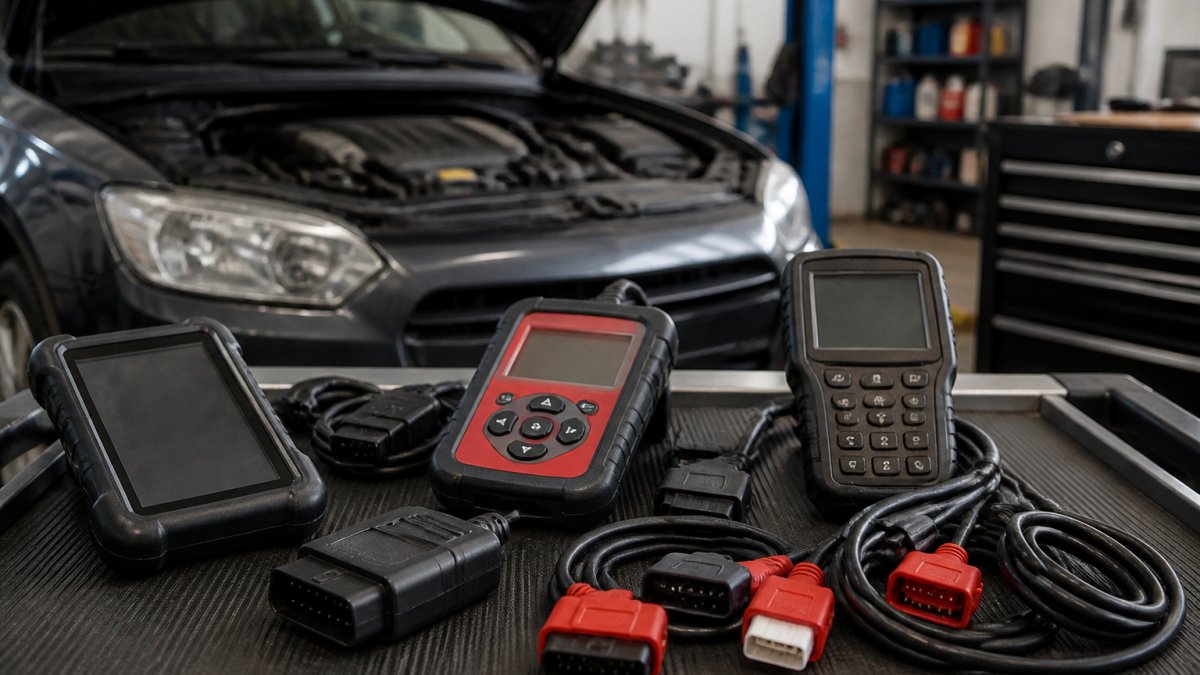
A basic code reader retrieves and clears diagnostic trouble codes. These affordable, simple devices display the code number and generic definition, telling you that your vehicle has detected a problem in a specific system.
An advanced scan tool accesses live data streams from control modules, displays freeze-frame information, performs bidirectional control tests, and runs manufacturer-specific diagnostics.
What a Basic Code Reader Can and Cannot Do
A basic code reader retrieves and clears codes and displays definitions. It tells you a problem exists, but not always why. A P0300 code confirms misfiring but won't identify whether the cause is a bad spark plug, failing ignition coil, fuel injector problem, or vacuum leak.
Basic readers cannot access live sensor data or perform active tests. They cannot access manufacturer-specific codes. For routine maintenance checks, a basic reader is sufficient. For complex diagnostics, you need more capability.
Advanced Features: Bidirectional Control and Service Functions
Bidirectional control allows a scan tool to send commands to vehicle systems. You can activate the fuel pump, test fuel injectors, cycle the ABS pump, or command transmission shifts.
Service functions reset maintenance indicators and calibrate sensors. An oil service reset clears the service reminder. ABS bleeding uses the ABS pump to bleed air from brake lines.
How to Read OBD2 Codes: A Step-by-Step Workflow
Reading OBD2 codes follows a logical sequence: locate the diagnostic port, connect your scanner, retrieve the codes, and interpret the results. This workflow applies whether you're using a basic code reader or an advanced scan tool.
Locating Your OBD Port and Connecting Your Scanner
The OBD-II port is standardized on all U.S. vehicles since 1996, typically located under the steering column on the driver's side, roughly 12 inches from the floor.
Insert your scanner's connector firmly into the port until you hear or feel a click. Some scanners draw power from the OBD-II port; others require separate power. Once connected, select your vehicle's year, make, and model.
Interpreting Data Versus Just Retrieving Codes
Retrieving a code is the first step; interpreting it requires understanding the system and sensor involved.
Live data is critical here. Check fuel trim values, which show how much the ECM is adjusting fuel delivery. High positive fuel trim means the ECM is adding fuel due to a lean condition.
Bidirectional Scan Tools: Active Testing and Verification
Bidirectional scan tools move beyond passive data reading into active system testing. These tools command vehicle systems to perform specific actions, allowing you to verify that control modules and actuators respond correctly.
When Active Tests and Service Functions Matter
Active tests are essential when passive data doesn't reveal the problem. You can command a specific fuel injector to pulse while monitoring fuel pressure, or command the transmission to shift through each gear while observing shift timing and pressure.
Service functions save time and prevent customer confusion. An oil service reset prevents the oil change reminder after service. A TPMS reset resets the tire pressure system after tire work. Steering angle sensor calibration ensures accurate stability control data.
DIY Diagnosis Versus Professional Diagnostics
Many vehicle owners can safely perform basic diagnosis using a code reader. You can retrieve codes, understand what system is affected, and decide whether the problem warrants professional attention. Some problems are straightforward enough for DIY repair; others require professional equipment and expertise.
What You Can Safely Diagnose Yourself
Simple codes with obvious causes are safe to diagnose yourself. A P0171 code after fuel cap replacement might indicate improper sealing; reseating it often clears the code.
You can also use a code reader to verify that a repair was successful. After a technician replaces a faulty sensor or repairs a vacuum leak, retrieve the codes again to confirm they've been cleared.
When to Seek Professional Help
Complex codes involving multiple systems, intermittent faults, or codes that don't match symptoms require professional diagnostics. U0100 codes (lost ECM communication), P0606 codes (processor fault), or multiple codes from different systems indicate communication or electrical issues demanding professional expertise.
Transmission problems warrant professional diagnosis; misdiagnosis can lead to expensive repairs. Safety-critical systems like ABS, airbags, and stability control should also be diagnosed professionally to avoid compromising vehicle safety.
Diagnostic Protocols, Access Limits, and Vehicle Compatibility
Not all scan tools access all vehicle systems equally. Diagnostic protocols vary by manufacturer, and some manufacturers restrict access to certain functions through security gateways.
Manufacturer-Specific Codes and Security Gateways
OBD-II provides standardized access to basic powertrain diagnostics, but manufacturers have added proprietary codes and functions. BMW has manufacturer-specific codes that generic tools won't recognize. Tesla has completely different diagnostic architecture requiring manufacturer-specific equipment.
Some manufacturers use security gateways requiring authentication before accessing advanced diagnostics. A basic scan tool retrieves standard OBD-II codes from any vehicle, but accessing manufacturer-specific codes or service functions often requires more expensive tools with manufacturer software.
Coverage Across Makes, Models, and Vehicle Systems
A quality scan tool should support all major makes and models, though coverage varies. When choosing a tool, verify it supports the vehicles you work on regularly.
Vehicle systems coverage also matters. Can the tool access powertrain codes only, or also body, chassis, and network codes? Can it display live data from all control modules?
Modern car diagnostic tools have evolved from simple code readers into sophisticated systems that access real-time data, perform active tests, and support advanced service functions. When you're ready for comprehensive diagnostics or need help interpreting codes you've retrieved yourself, our technicians are here to provide professional service.
| Diagnostic Tool Type | Best For | Key Capabilities | Limitations |
|---|---|---|---|
| Basic Code Reader | DIY owners, quick checks | Read/clear codes, basic definitions | No live data, no service functions |
| Mid-Range Scan Tool | DIY enthusiasts, technicians | Live data, freeze-frame, some service functions | Limited manufacturer coverage, fewer active tests |
| Professional Scan Tool | Shops, complex diagnostics | All functions, manufacturer-specific access, active testing | Higher cost, requires training |
| OEM Manufacturer Tools | Dealerships, specific makes | Complete system access, all service functions | Brand-specific, expensive |
Frequently Asked Questions
Can you do a car diagnostic yourself with an OBD2 scanner?
Yes, you can read diagnostic trouble codes yourself using a basic OBD2 scanner. These tools retrieve codes and display them on a screen, allowing you to identify what triggered your check engine light. However, retrieving a code is not the same as diagnosing the root cause. A code tells you which system is failing, not always why. For complex issues, electrical faults, or multiple codes, professional diagnostics with advanced scan tools and specialized knowledge is more reliable and prevents costly misdiagnosis.
What is the difference between a basic code reader and an advanced scan tool?
A basic code reader retrieves and clears diagnostic trouble codes. An advanced scan tool does everything a code reader does, plus it displays live sensor data, freeze-frame information, and manufacturer-specific codes. Advanced tools also offer bidirectional control, allowing technicians to command vehicle systems to perform active tests. This deeper access helps confirm whether a repair actually fixed the problem and enables service functions like oil resets and TPMS resets that basic readers cannot perform.
How do I know if my car's diagnostic codes mean I need an immediate repair?
Not all codes indicate urgent problems. Some codes are informational or historical and may not affect drivability. However, certain codes, such as those related to the engine, transmission, or airbag system, warrant immediate attention. If your check engine light is solid, you can usually drive safely to a mechanic; a flashing light indicates a severe issue and you should not drive the vehicle. Professional diagnostics help determine severity. When in doubt, have a technician review the codes and live data to confirm what repair is actually necessary.
What vehicle systems can modern diagnostic tools scan?
Modern diagnostic tools can access the powertrain (engine and transmission), ABS, airbag systems, climate control, and other electronic control modules depending on the tool's coverage and your vehicle's year and make. Basic scanners typically cover the powertrain. Advanced tools access multiple systems and manufacturer-specific modules. Coverage varies by vehicle architecture; newer vehicles with more electronics offer more data to scan, while older vehicles may have limited diagnostic capabilities. Always verify that your scanner is compatible with your specific make and model before purchase.
When should I take my car to a professional for diagnostics instead of doing it myself?
Seek professional help when you encounter multiple codes, electrical faults, intermittent issues, or codes you cannot confidently interpret. If a code relates to safety systems (airbags, ABS, steering angle sensor), professional diagnosis is essential. When a repair didn't solve the original problem, advanced diagnostics with live data monitoring and active testing are necessary to verify the fix. Professionals also have access to manufacturer-specific diagnostic protocols and security gateways that consumer scanners cannot reach, ensuring accurate diagnosis and preventing expensive repeat repairs.
Can an OBD2 scanner tell me the exact cause of a problem?
An OBD2 scanner identifies which system or sensor is reporting a fault, but not always the root cause. For example, a code might indicate a faulty oxygen sensor, but the real problem could be a vacuum leak causing the sensor to read incorrectly. Interpreting data requires experience and often involves checking live sensor readings, freeze-frame data, and performing active tests. This is where advanced scan tools and professional expertise matter. A code is a starting point for diagnosis, not a final answer.
How do I choose an OBD2 scanner for my vehicle?
Verify compatibility with your vehicle's year, make, and model before buying. Check whether the scanner covers the systems you need (powertrain only, or multiple modules). Decide between a basic code reader for simple checks or an advanced scan tool if you need live data and active testing. Consider connectivity: Bluetooth wireless scanners offer convenience, while wired models are reliable. Read user reviews specific to your vehicle type. If you own multiple vehicle makes, ensure the scanner's coverage spans all of them. When in doubt, consult a professional to avoid purchasing a tool with limited utility for your needs.